
Load testing that ends in a decision
Most load testing tools give you charts. Stresix gives you an answer: whether your app holds the traffic you expect on the server you plan to use, and what to change if it does not. No scripts, no infrastructure of your own, results in 10 to 15 minutes.
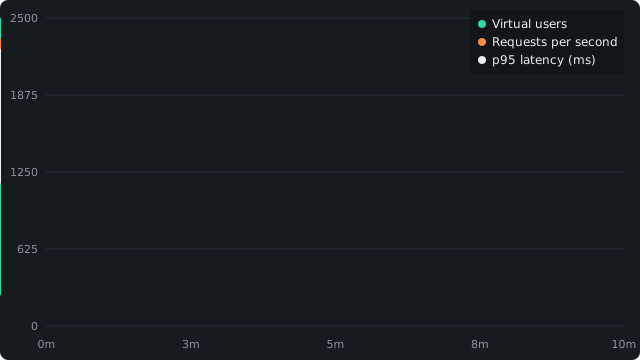
What every run includes
| Feature | What it means for you |
|---|---|
| Repository or Docker image | Point it at a GitHub repository (public or private, through the Stresix GitHub App) or a public Docker image. Repositories are built from your Dockerfile, or with Nixpacks if there is none. |
| Dedicated, known hardware | Your app runs alone on a fresh server: 4 vCPU / 8 GB for Standard, 8 vCPU / 16 GB for Massive. Results are tied to real hardware, not a shared sandbox. |
| Up to 10,000 simulated users | Standard ramps to 2,500 users over 10 minutes; Massive ramps to 10,000 over 15. Load comes from a separate server on a private network. |
| Real API requests | Up to 10 requests per run with GET, POST, PUT, PATCH, DELETE or HEAD, custom headers such as auth tokens, and request bodies. |
| Live telemetry | Users, requests per second, p50, p95 and error rate every second while the run is going. |
| Server measurement | CPU per core, memory, connections, restarts and out-of-memory kills on the server your app ran on, so the report can say what ran out. |
| A hardware verdict | A plain-language recommendation, including "no change needed" when your setup is already enough. |
| Isolation and cleanup | Your app sits behind a firewall that blocks the internet. Environment variable values are encrypted while stored, and both servers are deleted when the run ends. |
| Fair pricing | From $1.60 per run, no subscription, credits that never expire, and an automatic refund when a run fails on our side. |
Built for the sizing question
The question behind most load tests is simple: is this server big enough, and should I pay for a bigger one? Stresix is built around that question. It runs your app on known hardware, pushes it to the load you choose, watches the server, and answers it directly. Stresix does not sell hosting, so it has no reason to recommend more than you need.
No scripts to write
You list the requests that matter, such as your home page, a search endpoint or an authenticated API call. Stresix generates the k6 load script, runs it, and reads the results for you.
Clear about its scope
Each request stands alone, so multi-step login flows, WebSockets and gRPC are outside what a run covers. The limits page lists every boundary, so you know exactly what a result means.
Frequently asked questions
What is the easiest way to load test a web app?
With Stresix you point at a GitHub repository or Docker image, pick a load (2,500 or 10,000 users), and get a report with p95 latency, error rate, server CPU and memory, and a hardware verdict in 10 to 15 minutes. There is no script to write and no server to set up.
Does Stresix tell me what server size I need?
Yes. The report names the hardware your app ran on, shows what that server did under load, and says whether it is enough, including when no change is needed.
Can Stresix test an API that needs authentication?
Yes. Add an Authorization header with a test account token to any request. Requests can use any common HTTP method with a body.
How much does Stresix cost?
A Standard run costs one credit and a Massive run three. Credits cost $2 each in the Starter pack ($10 for 5) and $1.60 in the Pro pack ($40 for 25). No subscription.
Related guides
Stop guessing your specs. Start knowing them.
Point Stresix at a repo or Docker image and get a number you can deploy on, in one run.
Start a load test